> ## Documentation Index
> Fetch the complete documentation index at: https://docs.same.new/llms.txt
> Use this file to discover all available pages before exploring further.
# Supabase for database
> Set up Supabase integration in Same.new. Add real-time auth, Postgres, and storage to your AI apps. No manual configuration required.
## What is Supabase?
[Supabase](https://supabase.com/) is an open source backend service provider of **PostgreSQL database**, **authentication**, **real-time subscriptions**, and **serverless functions**. It combines multiple tools into a unified platform for building scalable applications.
A database stores, organizes, and retrieves data for your project. With a database, you can persist user data, content, and configurations — even after the app is closed or restarted.
When you connect Same with Supabase, you can use natural language to:
* Have Same design and build a schema that fits your project
* Have Same integrate with Supabase's authentication to manage your users
* Explore and analyze your data without leaving your Same workspace
## Get started with Supabase
We recommend connecting to Supabase through MCP
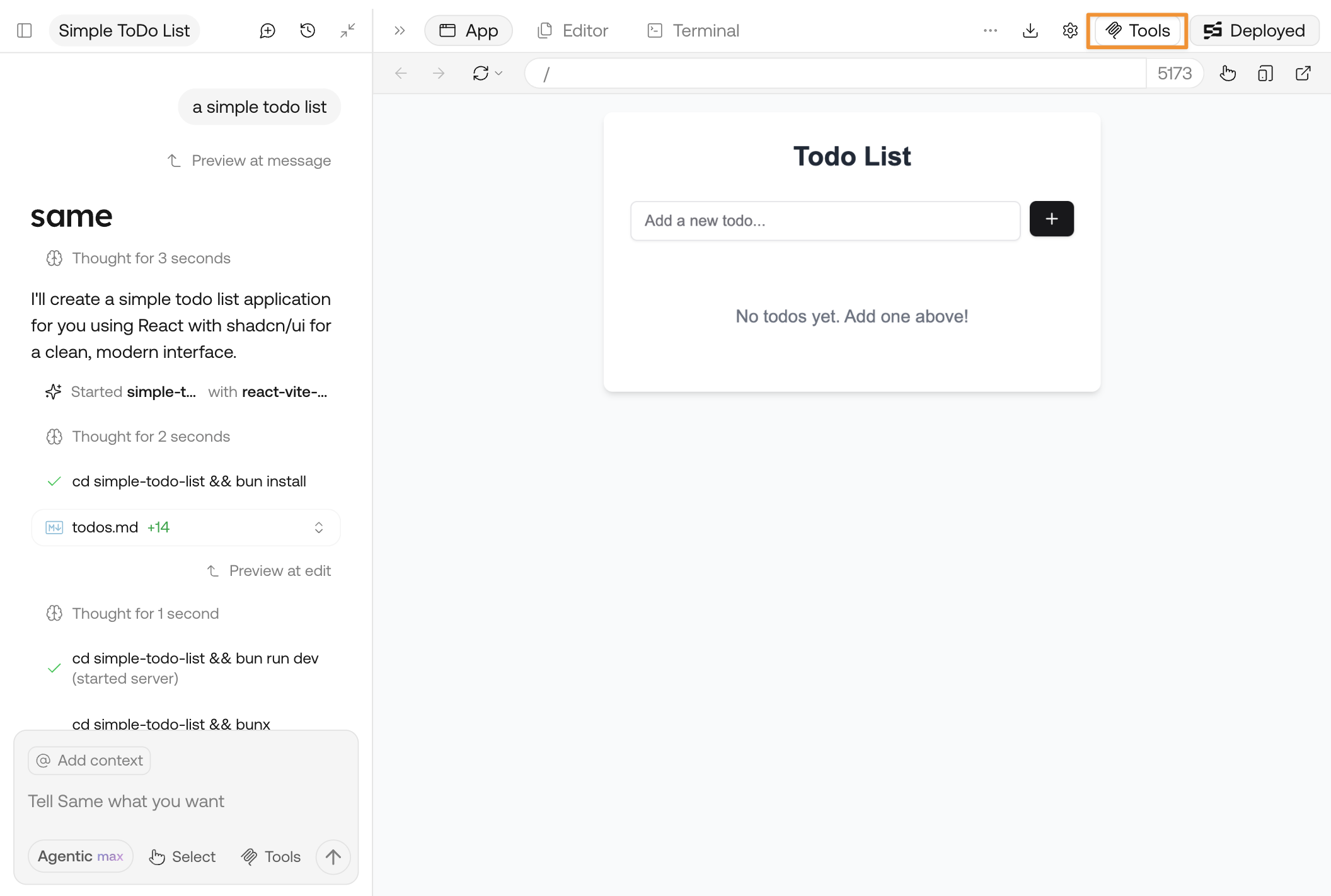
Click **Tools** and open the panel
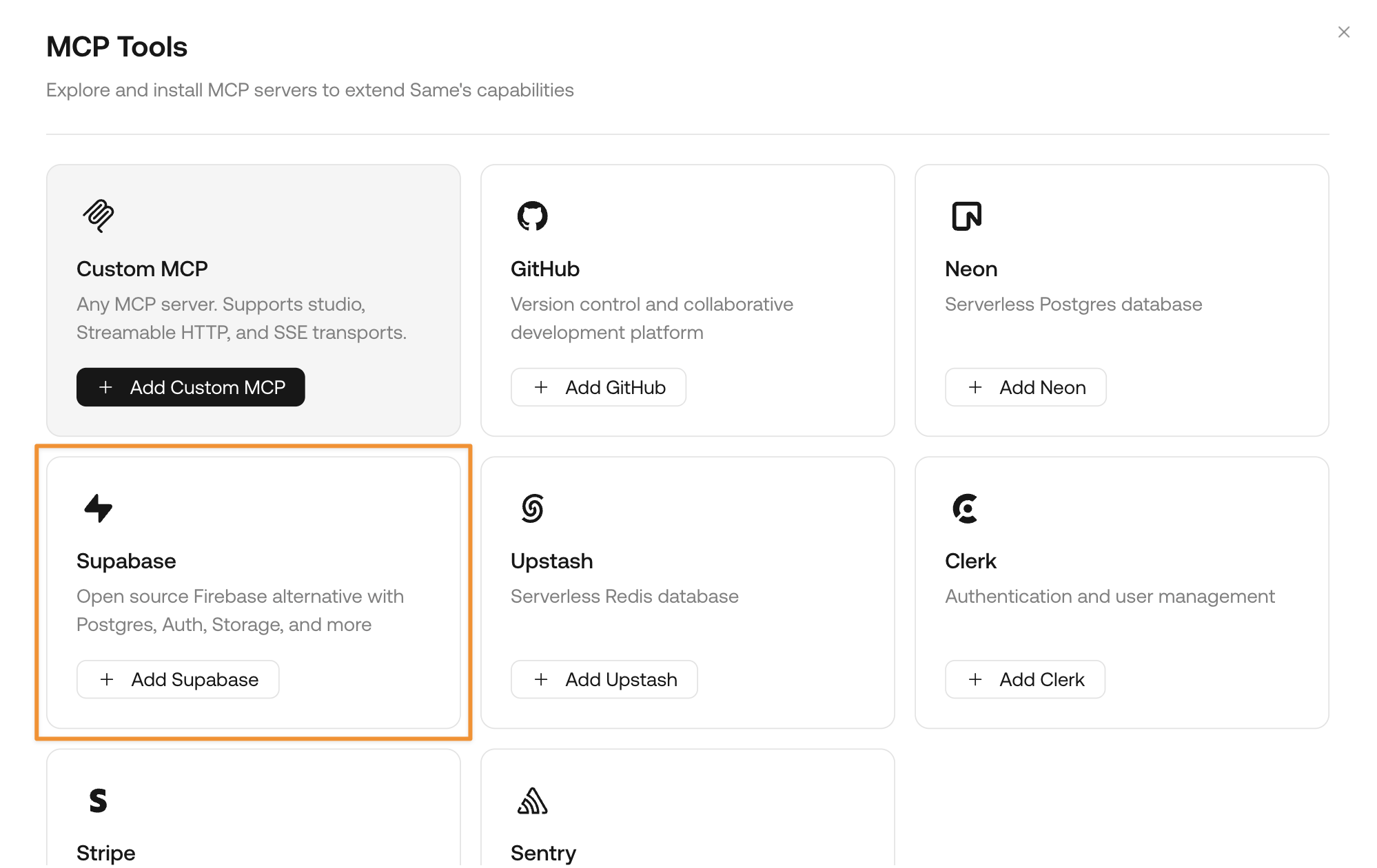
 Find the card for Supabase and click **Add Supabase**
 Follow the page instructions to approve the connection. You may need to sign up for an account if you don't have one yet.
Supabase provides free plans for new users. [Check Supabase's pricing](https://supabase.com/pricing).
Once the connection is successful, directly ask Same to:
```md theme={null}
Design the database schema for my project and connect it to a new Supabase project
```
Same will automatically manage everything for you, from Supabase project creation and database schema design to final connection and migration.
## Sample prompts with Supabase
Here are some sample prompts you can try with Supabase to discover its full functionality:
```md theme={null}
Design the database schema for my project and connect it to a new Supabase project
```
```md theme={null}
Add authentication to my project with Supabase
```
```md theme={null}
What's the stock of each active product I have?
```
Follow the page instructions to approve the connection. You may need to sign up for an account if you don't have one yet.
Supabase provides free plans for new users. [Check Supabase's pricing](https://supabase.com/pricing).
Once the connection is successful, directly ask Same to:
```md theme={null}
Design the database schema for my project and connect it to a new Supabase project
```
Same will automatically manage everything for you, from Supabase project creation and database schema design to final connection and migration.
## Sample prompts with Supabase
Here are some sample prompts you can try with Supabase to discover its full functionality:
```md theme={null}
Design the database schema for my project and connect it to a new Supabase project
```
```md theme={null}
Add authentication to my project with Supabase
```
```md theme={null}
What's the stock of each active product I have?
```