> ## Documentation Index
> Fetch the complete documentation index at: https://docs.same.new/llms.txt
> Use this file to discover all available pages before exploring further.
# Tokens
> Track AI token usage in Same.new, monitor your limits, and see how tokens fuel every app you build. Stay in control and never miss a deploy.
## What are Tokens?
Same uses "tokens" as the primary unit to measure the resources consumed during your interactions. Think of tokens as pieces of words or code that Same processes.
* **Roughly:** 1 token is about 4 characters in English.
* **Example:** 1,500 words is approximately 2,048 tokens.
Every interaction, from understanding your prompts and context to generating code and using tools, consumes tokens.
Learn more about tokens from the [official OpenAI
docs](https://help.openai.com/en/articles/4936856-what-are-tokens-and-how-to-count-them).
## How Usage is Calculated
Your token usage is calculated based on the complexity and size of each request you make to Same. The key factors are:
1. **Input Tokens (Context):** This includes:
* Your prompt text.
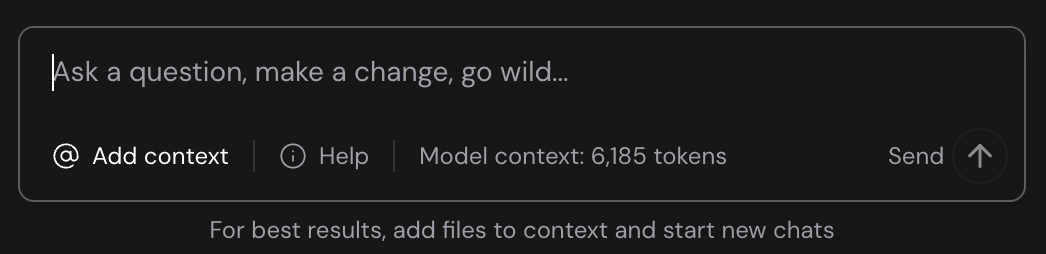
* The content of any files, images, or chat summaries you provide as context using the `@ Add context` button.
* The conversation history included in the request.
* **Calculation:** **6%** of these input tokens are counted towards your usage for each request.
2. **Output Tokens (Response):** This includes:
* The code, text, or reasoning generated by Same.
* Tokens used by tools (e.g., file edits, terminal commands, web searches) and their results.
* **Calculation:** **100%** of these output tokens are counted towards your usage.
**Total Usage per Request = (6% of Input Tokens) + (100% of Output Tokens)**
 ## Optimizing Token Usage
* **Start New Chats Frequently:** Treat each chat like a specific task or feature. This keeps the context window smaller and focused, leading to better performance and lower costs. A summary of previous work is automatically attached to new chats for continuity. See [Maximizing Performance](/performance/maximizing-performance).
* **Use `@ Add context`:** Instead of relying on long conversation history or Same's exploration, create new chats often and use the `@ Add context` button to provide specific files or chat summaries relevant to your current request. This is much more token-efficient.
* **Be Specific:** Clear, concise prompts require fewer tokens for Same to understand and generate relevant output.
* **Monitor Usage:** Keep an eye on your token consumption in your account settings.
## Monitoring Your Usage
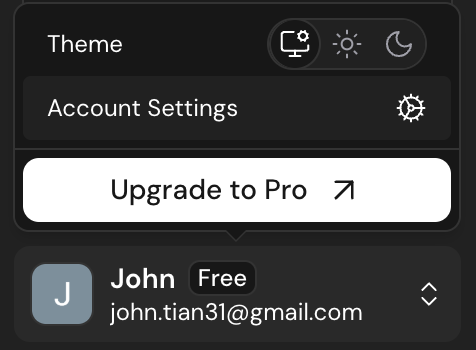
You can monitor your token usage within Same. Your remaining token balance and usage history are available in your account settings.
## Optimizing Token Usage
* **Start New Chats Frequently:** Treat each chat like a specific task or feature. This keeps the context window smaller and focused, leading to better performance and lower costs. A summary of previous work is automatically attached to new chats for continuity. See [Maximizing Performance](/performance/maximizing-performance).
* **Use `@ Add context`:** Instead of relying on long conversation history or Same's exploration, create new chats often and use the `@ Add context` button to provide specific files or chat summaries relevant to your current request. This is much more token-efficient.
* **Be Specific:** Clear, concise prompts require fewer tokens for Same to understand and generate relevant output.
* **Monitor Usage:** Keep an eye on your token consumption in your account settings.
## Monitoring Your Usage
You can monitor your token usage within Same. Your remaining token balance and usage history are available in your account settings.
 Understanding token usage helps you optimize your interactions with Same and
manage your plan effectively. For details on pricing, see our [Pricing
page](/usage/pricing).
Understanding token usage helps you optimize your interactions with Same and
manage your plan effectively. For details on pricing, see our [Pricing
page](/usage/pricing).